
Free AI summary of this YouTube video by SumTube
Spread the word! #USB
TL;DR
This video explains how to add USB-C compatibility to hardware designs, emphasizing the simple implementation needed for C-to-C cable support. By adding two inexpensive 5.1k ohm pull-down resistors to the CC pins, developers can easily ensure their products charge correctly over modern USB-C to USB-C connections.

Key takeaways
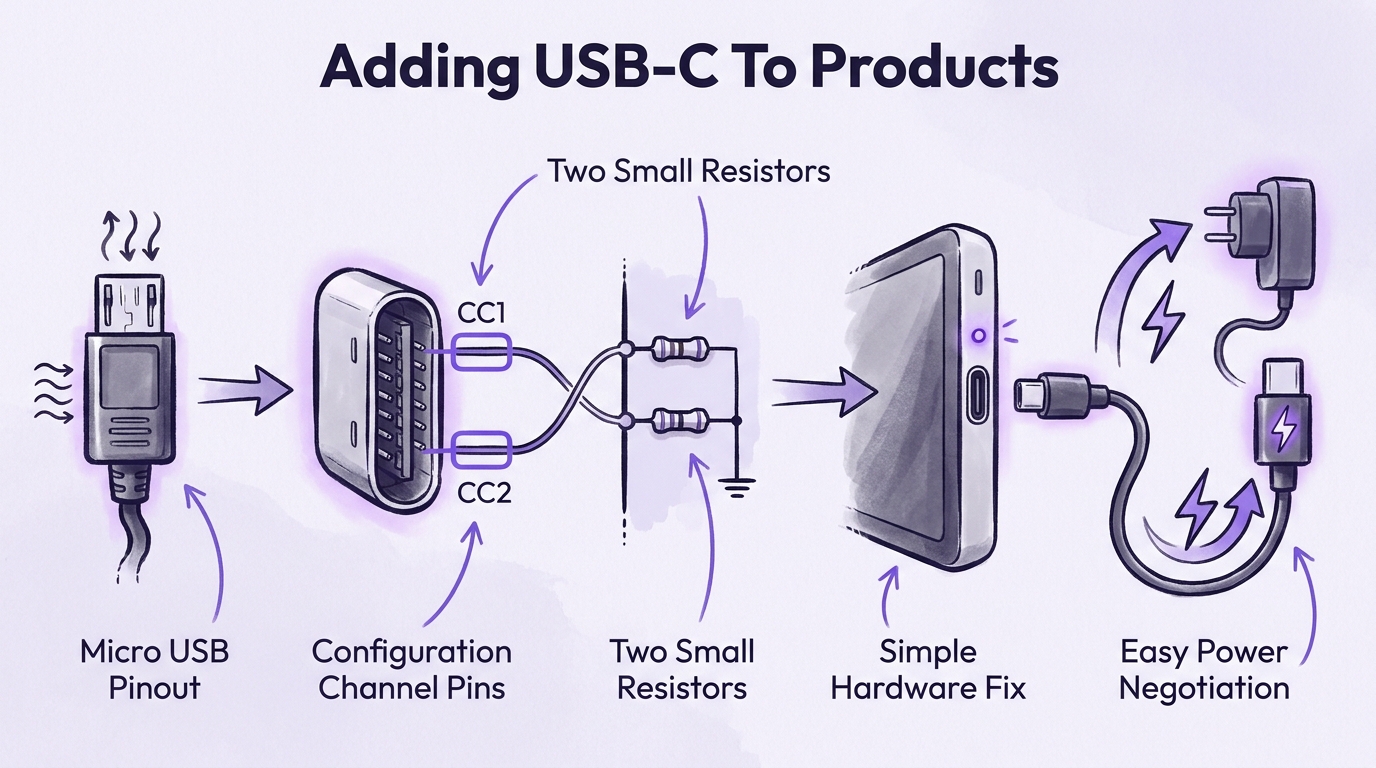
- 0:31Supporting USB-C to USB-C charging requires only two 5.1k resistors attached to the CC1 and CC2 pins.
- 0:35Adding proper USB-C compliance costs virtually nothing in component costs, making its omission in modern electronics inexcusable
Tap to enlarge
Most valuable section
For whom
Hardware designers, electronics hobbyists, and DIY makers creating custom PCB designs
Adding USB-C to your product0:00
It quickly breaks down the schematic setup needed to guarantee USB-C to USB-C compatibility on basic power connections.
Detailed summary
1. Adding USB-C to your product
0:00The video compares traditional Micro USB pinouts to modern USB-C connectors. While Micro USB relies on basic power, ground, and data pins, USB-C adds configuration channel (CC) pins alongside data lines and ground.
To enable standard USB-C to USB-C power negotiation, designers must pull down the CC1 and CC2 pins to Ground using two 5.1k ohm resistors. Implementing this simple hardware fix costs almost nothing and prevents compatibility issues with modern USB-C power adapters.
Questions this video answers
Why do some USB-C devices not charge with a USB-C to USB-C cable?
Many cheap USB-C devices omit pull-down resistors on the CC (Configuration Channel) pins, causing smart USB-C chargers to detect no connection and refuse to supply power. Adding two 5.1k resistors to ground resolves this issue.
How much does it cost to implement proper USB-C charging on a circuit board?
Adding the required 5.1k resistors costs a fraction of a cent per board. Because the cost is effectively zero, there is little reason for modern hardware designers to skip this step.
Which pins need resistors for basic USB-C power delivery?
The CC1 (A5) and CC2 (B5) pins each require a 5.1k resistor connected to Ground (GND). This signals to the power supply host that a sink device is attached.
Ask a follow-up Premium
About this summary
SumTube AI wrote this recap from the video's words and chapters. Credit and the original belong to Casual Coders.