
Free AI summary of this YouTube video by SumTube
Loops - Roblox Beginners Scripting Tutorial #11 (2025)
TL;DR
In this Roblox scripting tutorial, Brawldev introduces for loops, while loops, and nested loops as essential concepts for repeating code efficiently. He demonstrates how to construct loops using counters, step values, and conditions, warning against infinite loops. Finally, he shows a practical application by using a for loop alongside Roblox's `task.wait()` library to periodically change a baseplate's color.

Key takeaways
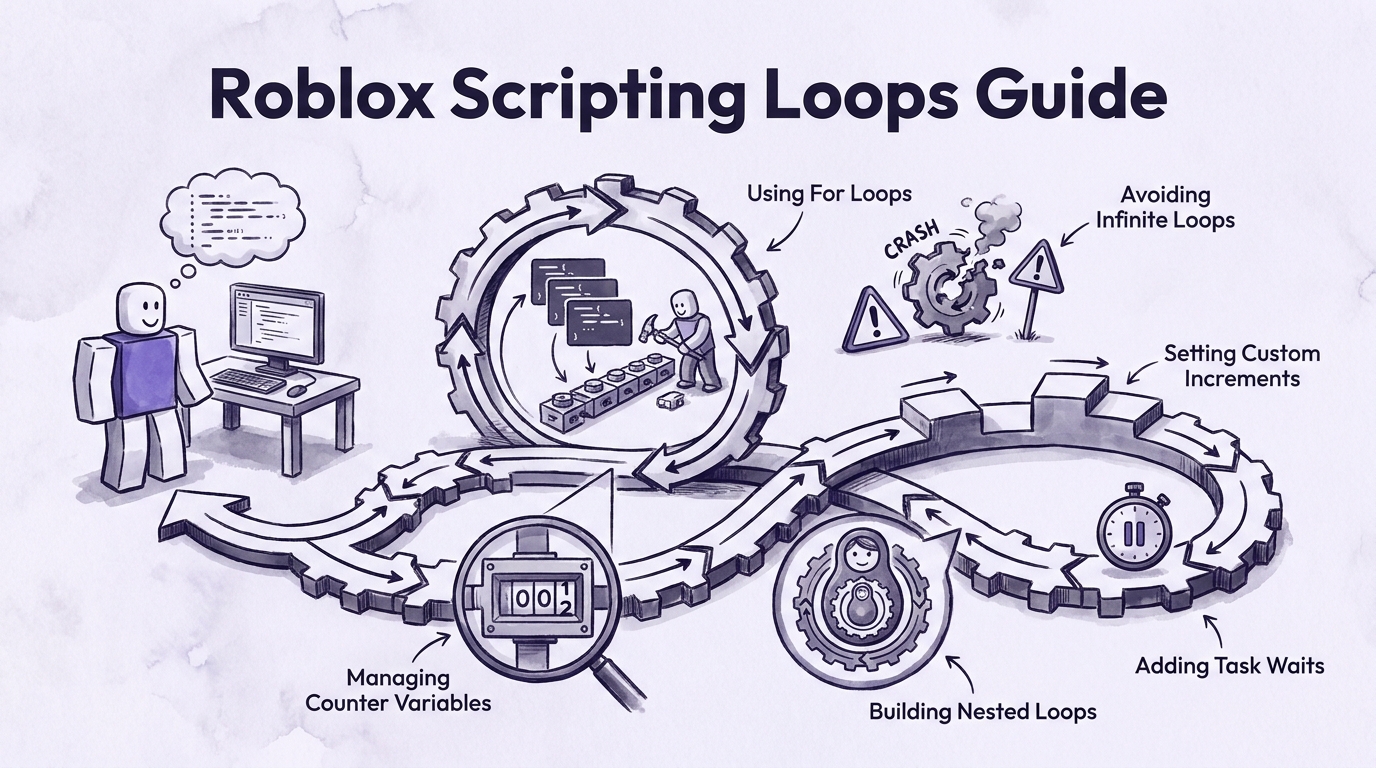
- 2:33Using for loops prevents code bloat by replacing repetitive blocks of manual print statements
- 10:56While loops require manually updating the counter variable within the loop body to avoid infinite loops and game crashes
- 15:21For loops can accept negative step values to count backwards or larger step values to jump by multi-unit increments
- 23:09Roblox executes loops instantaneously, making time pauses like `task.wait(seconds)` necessary when creating visual animations or color changes.
Tap to enlarge
Most valuable section
For whom
Beginner developers looking to apply loops to actual Roblox workspace objects rather than just terminal outputs.
Practical Application: Baseplate Color Animation21:22
It transitions abstract loop mechanics into visual game design by showing how to loop through brick colors using task.wait pauses.
Detailed summary
1. Introduction to Scripting Loops
0:00Brawldev introduces the concept of loops as a fundamental programming topic necessary for Roblox development and general computer science. He disables the previous episode's script, sets up a fresh workspace script named 'Loops', and prepares to demonstrate why loops are essential for efficient code design.
To illustrate the problem loops solve, he writes dozens of redundant print statements. Manually repeating blocks of code bloats a script unnecessarily, taking up tens of lines for simple repeated tasks. Loops offer a far cleaner alternative by repeatedly running specific blocks of code.
2. Understanding and Writing For Loops
3:38Brawldev explains the core concept of a loop, which executes a block of code for a specific or indefinite number of iterations until a stopping criterion is met. He introduces the structure of a `for` loop in Luau, which requires a counter variable, a starting value, an ending value, a step increment, and the `do` keyword.
He writes a practical example that counts from 1 to 5 with an increment of 1, running three print statements per iteration. Upon testing the script in Roblox Studio, the output window displays the repeated statements exactly five times, demonstrating how a few lines of code cleanly replace redundant manual blocks.
3. Understanding While Loops and Avoiding Crashes
8:38The tutorial transitions to `while` loops, which are useful when the exact number of iterations is unknown but a conditional endpoint is defined. Unlike for loops, while loops require defining a local counter variable outside the loop header and setting up an explicit logical condition.
Brawldev issues a crucial warning regarding infinite while loops. Because while loops do not automatically increment counter variables, developers must explicitly add an increment line inside the loop body. Failing to update the counter causes an infinite loop that crashes the game.
4. Loop Variations: Counting Backwards and Custom Increments
15:02Brawldev demonstrates how to manipulate loop behavior by adjusting step parameters. By setting a higher start number, a lower end number, and a negative step value like `-1`, a for loop counts in reverse order down to its target end value.
He also shows how to change the step value to positive numbers greater than 1, such as incrementing by `2`. Running tests in Roblox Studio confirms that custom step parameters allow developers to precise control iteration speed and counting patterns in both for and while loops.
5. Creating Nested Loops
18:22This section covers nested loops, which involve placing one loop inside the body of another. Brawldev writes an outer loop that prints a single letter 'A' and places an inner loop inside it that prints the letter 'B' five times.
When executed, the outer loop runs its first iteration, after which the inner loop completes all five of its iterations before the outer loop moves to its next cycle. This nested sequence demonstrates how complex, multi-layered repetition can be structured in Luau.
6. Practical Application: Baseplate Color Animation
21:45To apply these concepts to actual game elements, Brawldev writes a script that repeatedly changes the workspace Baseplate color. He references the Baseplate object in script memory and builds a for loop designed to step through distinct color changes.
Because Luau executes code instantaneously, fast changes are invisible unless delayed. Brawldev introduces `task.wait(seconds)` from Roblox's task library to pause execution between color switches. By combining a 10-iteration loop with three color changes and 1-second waits, the baseplate smoothly cycles through colors 30 times total.
7. Practice Objectives & Conclusion
27:22Brawldev wraps up the lesson by encouraging viewers to practice by creating their own for, while, and nested loops. He suggests experimenting with baseplate transparency, part manipulation, and custom delay timings using `task.wait()`.
He concludes the tutorial, reminding viewers that mastering loops provides a foundational building block for all future Roblox scripting projects before signing off.
Questions this video answers
What is the difference between a for loop and a while loop in Roblox Luau?
A for loop is best used when you know the exact number of iterations beforehand, as it automatically handles counter initialization and increments. A while loop is ideal when you want to execute code until a specific condition is met, but it requires you to manually update the counter inside the loop body to avoid infinite execution.
How do you count backwards or skip numbers in a Luau for loop?
You can change counting behavior by modifying the third parameter (the step value) in the for loop header. Passing `-1` as the step value counts backwards from the start number to the end number, while using numbers like `2` allows you to jump by larger increments.
Why does Roblox Studio crash or freeze when using a while loop?
A while loop will crash the game if its stopping condition is never reached, resulting in an infinite loop. This typically happens if you forget to increment or decrement the counter variable within the loop body.
Why is task.wait() necessary inside loops that change object properties?
Luau code executes instantly from top to bottom. Without `task.wait()`, fast-property changes—such as updating a baseplate's color—happen too rapidly to be visible to the player.
Ask a follow-up Premium
About this summary
SumTube AI wrote this recap from the video's words and chapters. Credit and the original belong to BrawlDev.