
Free AI summary of this YouTube video by SumTube
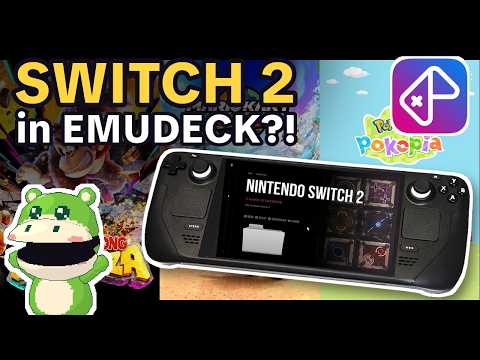
How to Fix Switch 2 Emulation on Steam Deck
TL;DR
This guide provides a step-by-step tutorial on integrating experimental Nintendo Switch 2 emulation into EmuDeck on the Steam Deck using a custom setup script. It explains how to correctly format dumped games, configure Steam ROM Manager, and optimize performance. Additionally, it addresses common troubleshooting issues such as missing configuration files, memory crashes, missing frames, and black loading screens.
Key takeaways
- 1:53Switch 2 games must be stored in named folders ending in .ns2 containing raw exefs and romfs directories so Steam ROM Manager and EmulationStation recognize them.
- 5:28No prod.keys or system firmware are required for this emulator setup because dumped game folders are already decrypted.
- 3:39The emulator operates without a main graphical user interface, so attempting to launch it directly without specifying a game file will immediately close it
- 5:39Freezes and low frame rates are typically caused by running out of graphics memory or having SMT disabled by plugins like PowerTools
Tap to enlarge
Most valuable section
For whom
Steam Deck owners looking to set up early experimental Nintendo Switch 2 emulation within EmuDeck
Troubleshooting Common Issues and Performance Fixes3:36
It explains the most common reasons games fail to boot, crash, or run poorly, offering practical solutions for memory leaks and configuration errors.
Detailed summary
1. Introduction and Setup Requirements
0:00This section introduces the process of adding experimental Nintendo Switch 2 emulation to EmuDeck on the Steam Deck. It sets realistic expectations for early-stage performance, noting that current emulation runs around 20 frames per second depending on the title.
To complete the setup, users need a Steam Deck running SteamOS 3.8 or newer, EmuDeck pre-installed, legally dumped game files, and about 10 minutes of setup time.
2. Installing the Custom Script and Game Files
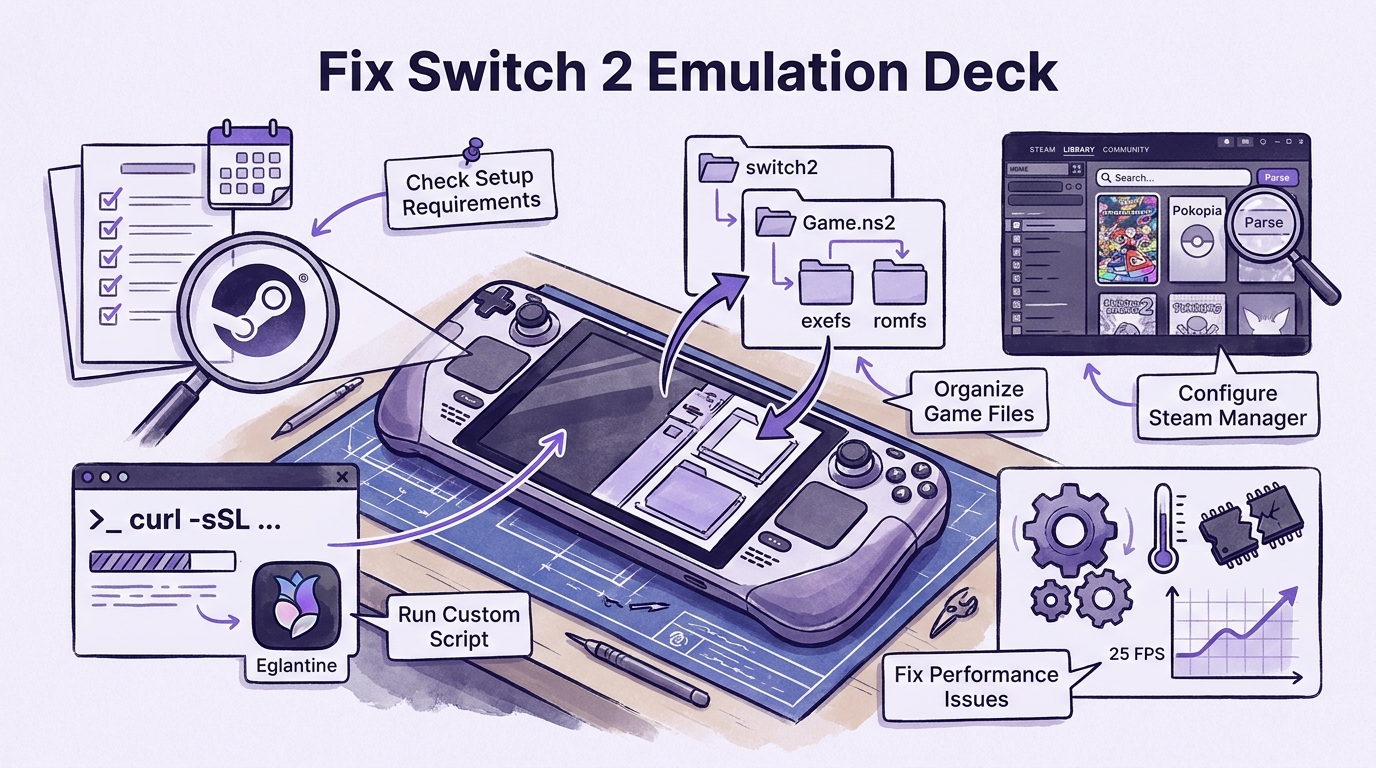
0:38The tutorial walks through switching to Desktop Mode and running a command-line script in the Terminal application. This script downloads the Steam Deck version of the Eglantine emulator, essential launchers like PokeDinner, and updates EmuDeck configurations to support a new Switch 2 directory.
Once installed, users must organize their dumped game files inside the switch2 directory. Each game must sit in its own folder containing raw exefs and romfs directories and use the .ns2 folder extension so EmulationStation treats the directory as a single game package.
3. Configuring Steam ROM Manager and Gaming Mode
2:12After placing game files into the proper directory structure, users launch Steam ROM Manager via EmuDeck to generate library shortcuts and fetch cover artwork. Once parsed and saved, the games become accessible directly from SteamOS Gaming Mode or within EmulationStation.
Initial game launches may display a black screen for a few minutes while shader caches compile. Performance varies by title, with games like Mario Kart World running near 25 FPS and Pokopia hitting between 20 to 45 FPS on average.
4. Troubleshooting Common Issues and Performance Fixes
3:36This segment tackles frequent errors reported by users, explaining that direct emulator launches close automatically because there is no standalone menu interface. It also highlights the importance of using updated configuration files to prevent games from defaulting to high-accuracy docked mode, which severe cuts performance.
For games stuck on loading screens, users are advised to verify folder paths, ensure update folders are correctly targeted, and review system logs. Additional fixes cover preventing memory-related crashes using CryoUtilities swap files, ensuring simultaneous multithreading (SMT) remains enabled in Decky plugins, and leaving official game names intact for title-specific optimizations.
Questions this video answers
Why does the Switch 2 emulator immediately close when opened?
The Steam Deck version of the emulator (Eglantine) does not include a standalone user interface or main menu. If launched directly without targeting a specific game folder, it will instantly shut down by design. You must launch it directly through a parsed game shortcut in Steam Gaming Mode or EmulationStation.
Do you need system firmware or keys to emulate Switch 2 games?
No keys or firmware files are required for this setup. Properly dumped Switch 2 game folders already contain decrypted data structures, so downloading external keys or firmware from third-party websites is unnecessary.
How can you fix performance drops or system crashes while playing?
System freezes usually occur when the Steam Deck runs out of unified graphics memory, which can be mitigated by closing background applications and setting up a 16GB swap file via CryoUtilities. Low frame rates often stem from SMT being disabled by plugins like PowerTools, so ensuring SMT remains enabled is critical for full processor performance.
Ask a follow-up Premium
About this summary
SumTube AI wrote this recap from the video's words and chapters. Credit and the original belong to Skrimby.